SpecDevShip Skill Pack Lite
Four free skills that run the light-tier workflow end to end: describe an idea, get a plan, approve it, implement it, wrap up. It's complete in itself, not a preview, and you can use it for everyday features and fixes for as long as you like.
Skill Pack Lite comes with the free SpecDevShip extension for VS Code, which sets it up for you. It works with Claude Code.
Four skills, one job each.
Drawn from the full SpecDevShip Skill Pack's light-tier workflow. They hand off to each other, so you don't have to remember the process.
Idea Analysis
Start here. Describe an idea, a fix or a bug. It asks what's missing, checks the work fits one plan, and proposes a plan for you to approve.
Spec Plan
Writes implementation_plan.md: the change, what it touches, and how it'll be checked, ready for your sign-off.
Implement Tasks
Works the approved checklist in order, commits each item as it's done, and stops to ask when something significant comes up.
Wrap Up
Writes a walkthrough of what was done, brings the README up to date when the change affects it, and adds a CHANGELOG entry.
Plus five rules the skills follow: the workflow, spec conventions, coding standards, testing standards and git workflow.
Nothing moves forward without you.
- Your idea
- Idea Analysis
- you approve
- Spec Plan
- you approve
- Implement Tasks
- Wrap Up
Approval is always your explicit act. A bug with an unknown cause gets its root cause found first, before any fix is planned.
Most work fits. Here's what doesn't.
Skill Pack Lite fits
Most features, fixes, UI work and refactors, on many small to medium projects:
- a new UI panel, or a small feature
- a fix, with its root cause found first
- an endpoint addition
- a refactor within the existing architecture, even a fairly involved one
The full Skill Pack fits
A new app, or a change that brings significant new architecture:
- a new external system integration
- a new major subsystem
- a data model change with real migration risk
- analysing an existing app, design or art style, or defining a product
Lite tells you when work outgrows it. It offers to split the work into smaller plans, or points you to the full pack, and it never mentions the full pack otherwise. More on the two tiers.
Start free. Go full when the work is bigger.
| Skill Pack Lite | Full Skill Pack | |
|---|---|---|
| Price | Free | $49 one-time |
| Skills | 4, plus 5 rules | 19, plus 5 rules and optional hooks |
| Tiers | Light tier | Light tier and full tier (requirements → tech → design → tasks) |
| Bugs | Finds the root cause before planning the fix, inside the plan | A dedicated investigation with its own findings document |
| Existing apps and designs | — | Analyses an app, design, art style or product before you build on it |
| Product, design and art direction | — | Originates them as real roles |
| Releases | — | Works out the version and writes the release notes |
| How you get it | The free VS Code extension | A private GitHub repository, after checkout |
| Licence | PolyForm Shield 1.0.0 | A personal licence (see Terms) |
Upgrading is clean: the full pack uses the same file names, so installing it over Lite gives you a fresh full-pack install.
Set up in a minute.
-
Step 1
Install the extension
Search the Marketplace for SpecDevShip, or open its listing.
-
Step 2
Set up Skill Pack Lite
Run Set up SpecDevShip Skill Pack Lite, for one project or your whole account. Every file is listed before anything is written, and no existing file is changed.
-
Step 3
Start a piece of work
Describe what you want. The extension hands it to Claude Code with the right skill.
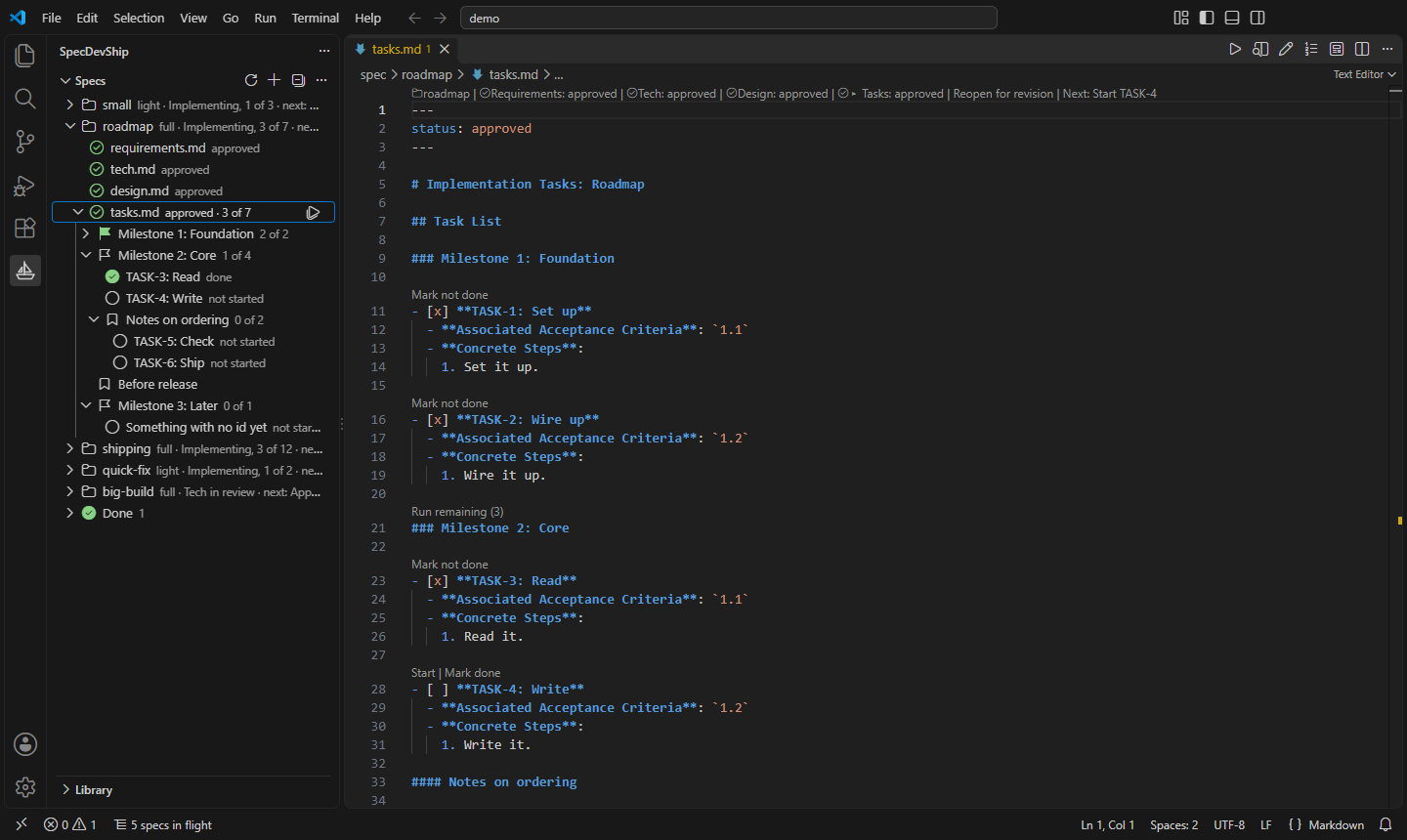
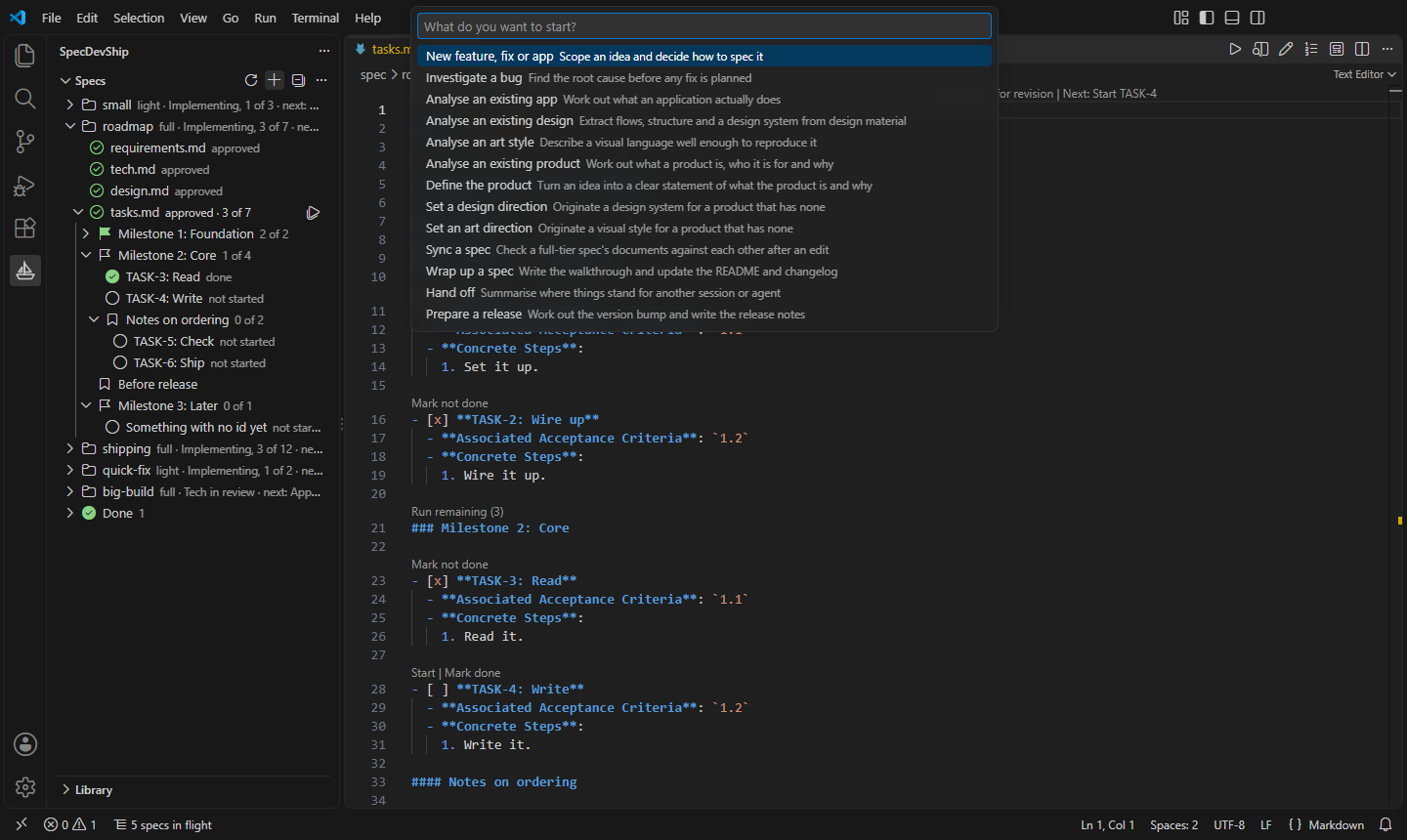
Requires VS Code 1.105 or later and Claude Code. The extension makes no network requests and collects no data.
Free to use, change and share.
Skill Pack Lite is free under the PolyForm Shield License 1.0.0. You can use it, change it and share it, but not to build a product that competes with it or with another SpecDevShip product. The licence comes with the extension.
Try it on your next piece of work.
Install the free extension, set up Skill Pack Lite, and describe what you want. Your first plan is a few minutes away.