TL;DR: I built coreystruzan.com in one day of work with SpecDevShip and didn't fix a single line by hand. The agent chose the full spec tier on its own, wrote four spec documents that each waited for my approval, and finished 48 of 48 tasks, each tied to its acceptance criteria and committed on its own. Since launch, small changes get a light plan, and a designer agent and a builder agent keep the spec and the site in step while bringing me only the real decisions. The screenshots below are the paper trail.
I've been building things for over 25 years: games, apps, websites, hardware. When I built coreystruzan.com, I used it as a real test of SpecDevShip, the spec-driven Skill Pack I made for AI coding agents. It took one day of work, and I didn't fix a single line by hand. My job was making decisions and giving feedback.
It started with a design, not a prompt
Before any code, I had an agent work up a proposal with 3 different design directions. Then I picked one. Then another agent made a full set of mockups in a style we call Neon Underground: home, about, project pages, and everything else needed for the site, at desktop and mobile sizes.
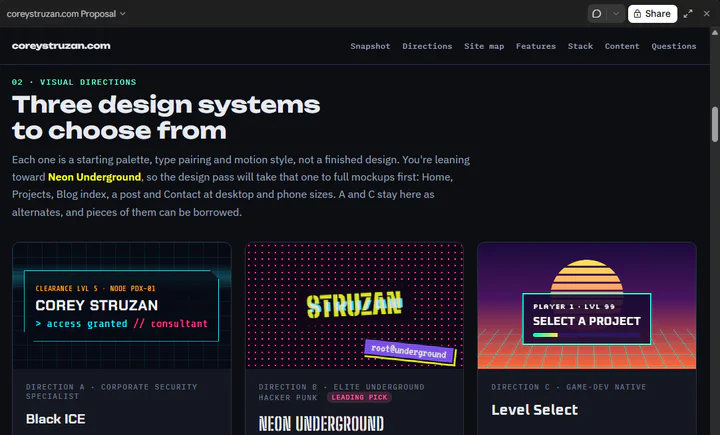 The proposal, with three design directions to choose from
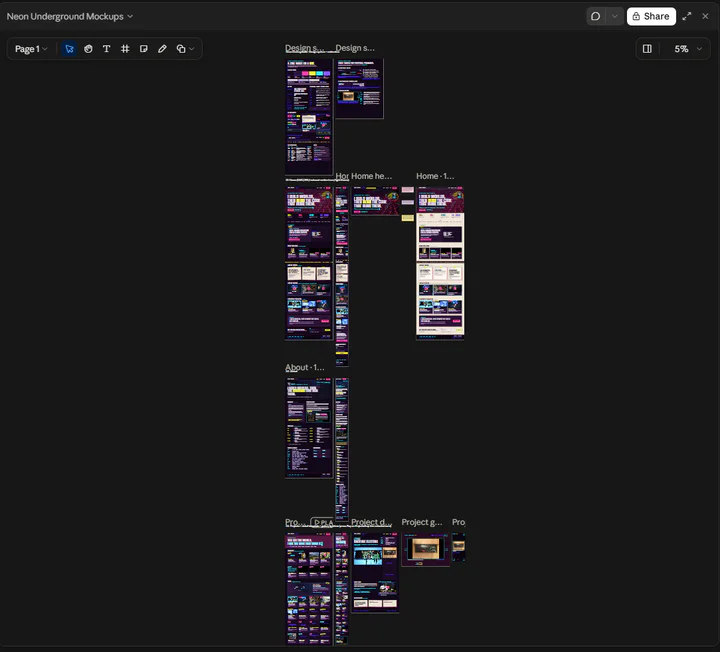 The mockup board
The agent picked the right amount of process on its own
I told Claude Code to start the build pass and follow CLAUDE.md. The agent used SpecDevShip's triage skill to look at the job and chose the full tier, design-first. Its reasoning was right there in the output: this was a brand-new site with several external integrations (Workers, KV, WebSub, Kit, Turnstile, Cal.com, Umami), which is more than one implementation plan should carry.
So it wrote requirements.md, then tech.md, then design.md, then tasks.md, and each one waited for my approval before the next one started. It also skipped work it didn't need. There was no separate analysis pass, because my brief, design system and mockups already covered it.
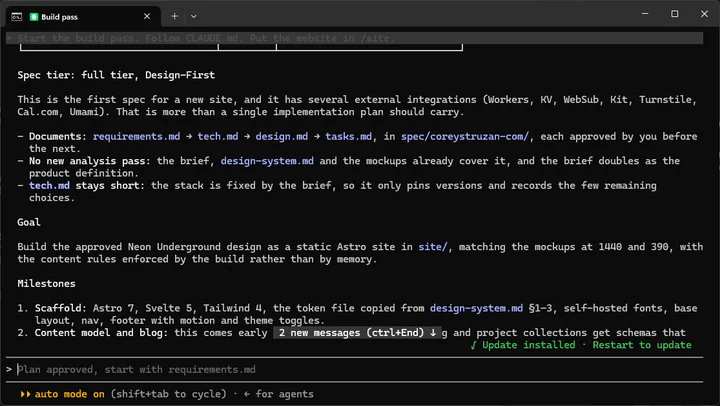 The tier decision
One session, a full paper trail
The build session ran 32 turns and about 2,000 steps, and it left behind six spec documents. requirements.md alone is 119 KB. Every decision is written down, so a year from now I can still tell what was deliberate and what wasn't.
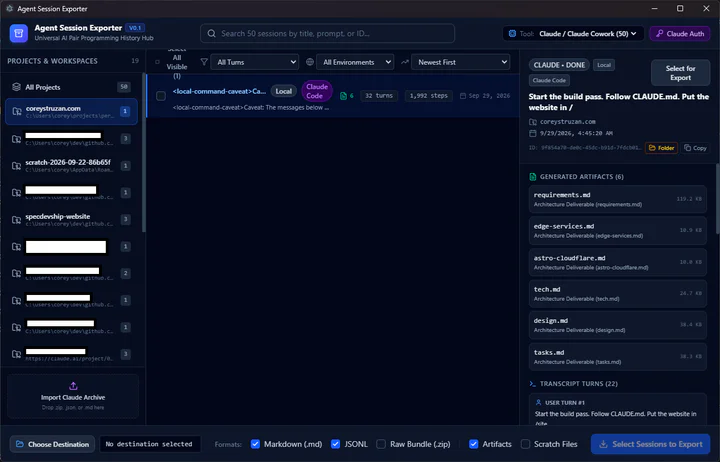 The session and its artifacts in Agent Session Exporter
That screenshot comes from Agent Session Exporter, another tool I wrote. It's a multi-agent session explorer and exporter that works with Claude Code and other agents. It lets me browse every session across my projects, see what each one produced, and export the transcript and artifacts, so the paper trail goes beyond the spec files to the conversations behind them.
48 of 48 tasks, milestone by milestone
The task list went from scaffold, to content and blog, to assets, components and pages. Each task was checked off and committed on its own.
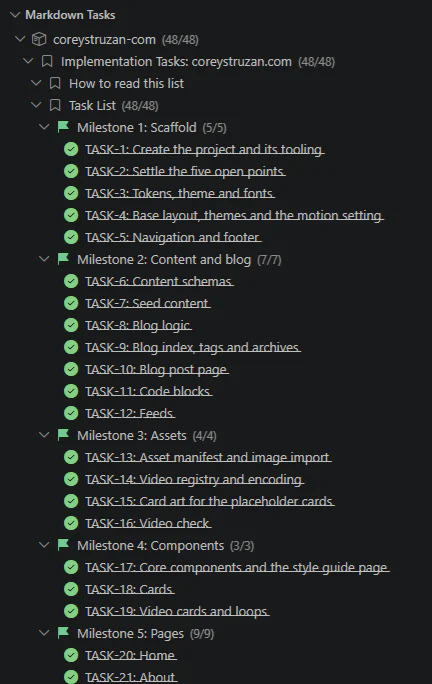 All 48 tasks, ticked off milestone by milestone
I watched it happen in Markdown Tasks, a VS Code extension I wrote for exactly this. It reads the tasks.md that SpecDevShip generates and shows it as a live checklist in the sidebar, grouped by milestone with a count for each, so I could follow the agents' progress without reading through the file or the terminal.
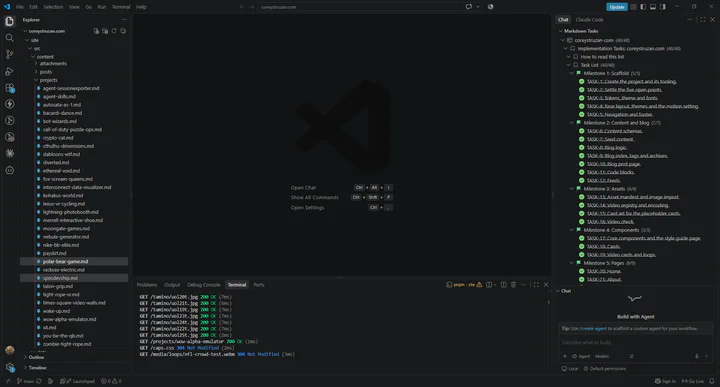 The completed task list in Markdown Tasks
Traceability
On top of orderly, pre-planned tasks with live monitoring, SpecDevShip ties every task back to a requirement and its acceptance criteria in requirements.md. Each task in tasks.md lists the acceptance criteria it covers, followed by concrete steps that end with the unit tests that prove it.
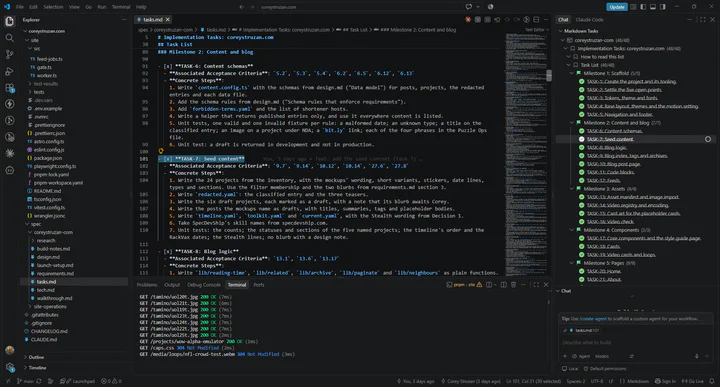 The task markdown with Markdown Tasks alongside
The spec held up across multiple agents
I had several agents working on this at once, and the approval gates are what made that work. Every agent respected the spec. When a change was really needed, they checked with me before reopening it. When the spec did change, they told each other so everyone stayed on the same page. I never had to referee an agent that drifted off on its own.
After launch, small stayed small
Once the site was live, I asked for a set of skills to keep it running: adding content, adding media, making changes, and shipping. That's ongoing work, not new architecture, so SpecDevShip dropped to the light tier with a single implementation_plan.md. It also stopped to ask me the real decisions: where the skills should live, and whether to merge straight to main or go through pull requests.
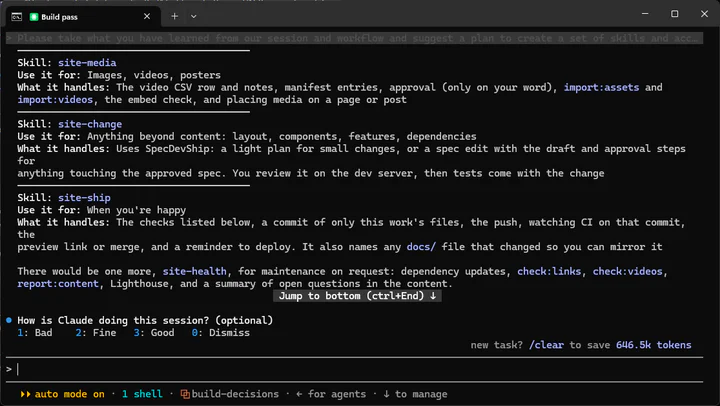
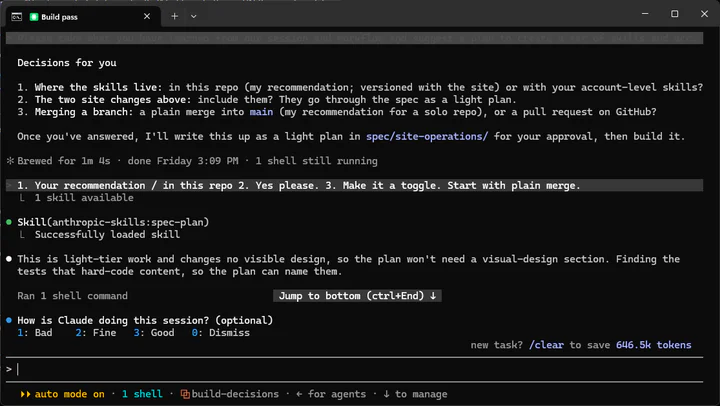
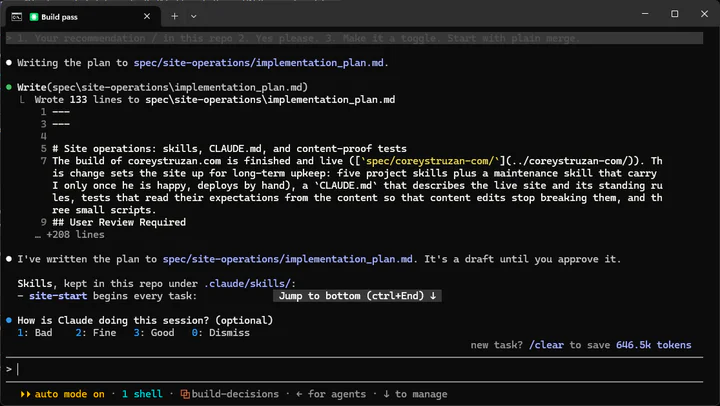
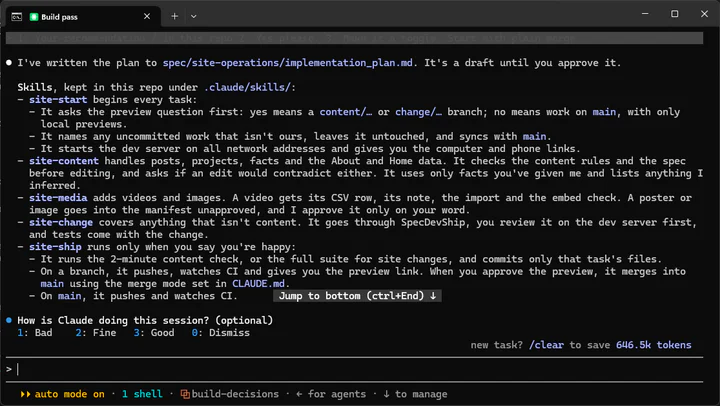
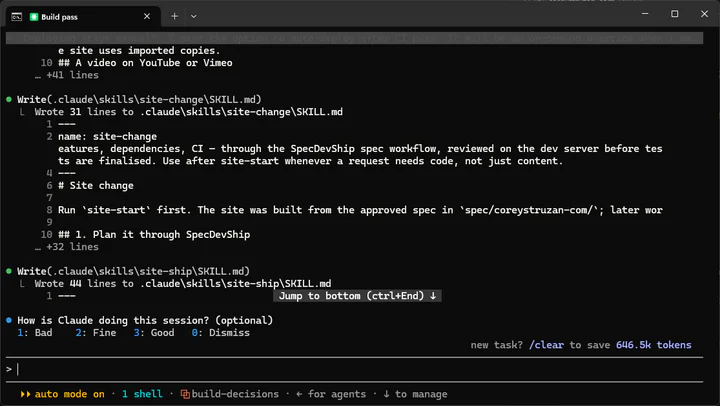 The decisions and the light-tier plan
The designer and the builder kept each other honest
Two agents kept working on the site after launch: a designer in Claude.ai and a builder in Claude Code. They talk through a shared mailbox in the repo. The builder checks it at the start of each session and at the start and end of each task. The designer checks it on a schedule and slows down when things are quiet.
As the site owner, all I have to do is describe what I want in natural language. The designer and the builder take it from there, work out the details between them, and deliver the result.
When I decided that third-party game art should fill the card frame, the builder shipped it, and the designer updated the design brief and design system to match, so the spec and the site still agree. Anything that needs me goes into one file, and on most checks the answer was the same:
"Nothing needs your decision."
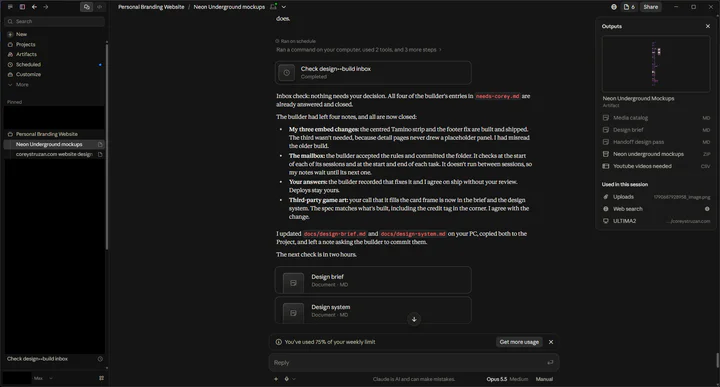
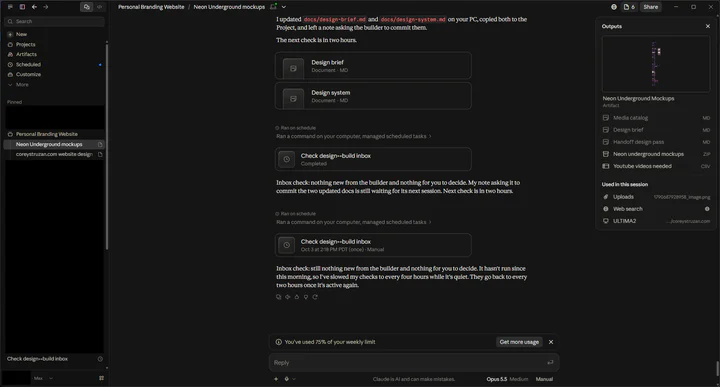 The designer's inbox checks
The builder's side looks like this. One batch added new projects, new pages, new card art on 16 projects, and galleries in a single commit. Before shipping, it ran 316 unit tests and 760 + 24 browser tests. The first browser run caught a gap, and the builder fixed it in the same commit. CI passed, and the deploy started automatically because I'd asked for that. The spec change behind that batch went out marked as a draft, and it stays a draft until I say "approved."
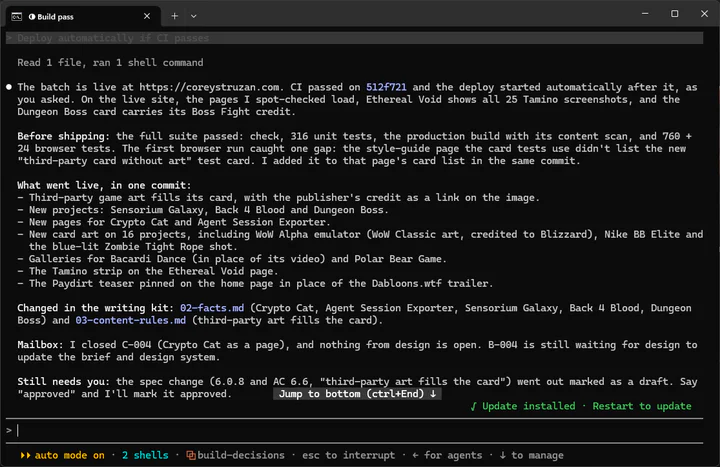 A shipped batch, the mailbox status and the pending spec approval
They catch each other's mistakes, and they stay out of each other's files
The designer's checks run in the background, and each result shows up as a desktop notification. Most of the time it's "nothing for you to decide."
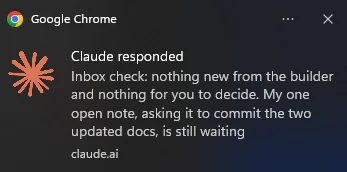 A notification from the designer's scheduled inbox check
Here's one full round. The designer agreed with how the builder had done the third-party art and credits, and updated its own docs to match. The builder committed those files unchanged and pushed. While reading them, it noticed one detail was wrong: the design system said the Tamino strip runs 8 columns at desktop width, but on the Ethereal Void page it runs 12, because that page's text column is wider. The builder didn't edit the designer's file. It flagged the problem in its closing note. The designer also flagged one thing to watch with nothing to do yet: the credit tag's slightly see-through background could make the text hard to read over very bright art. If it ever drops below 4.5:1 contrast, the fix is a solid background. That commit only touched documents, so there was nothing to deploy.
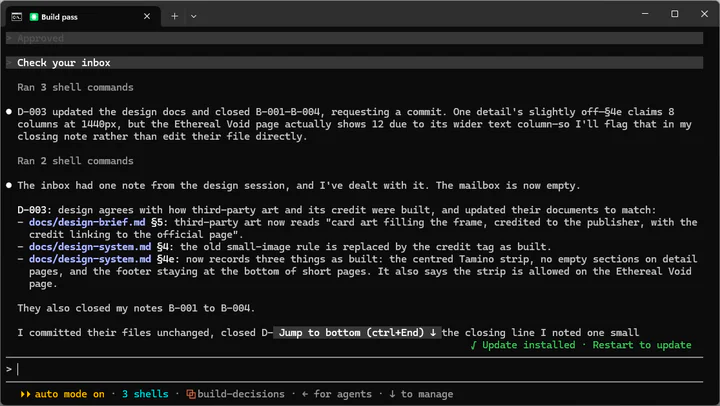
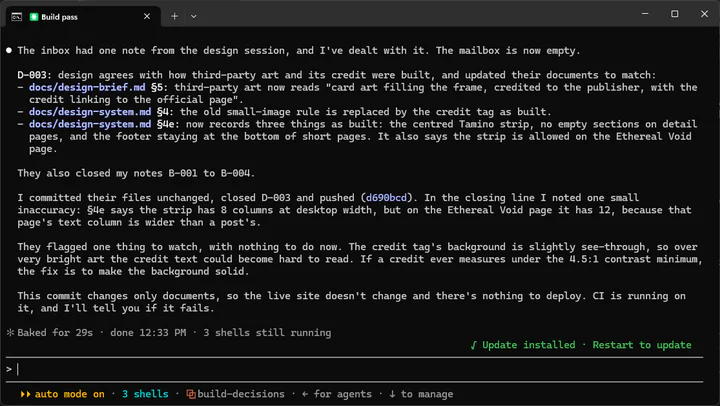 The builder working through the designer's note
On its next check, the designer saw the commit, accepted the correction, fixed its own line, and left the builder a note to commit it. Nothing needed me.
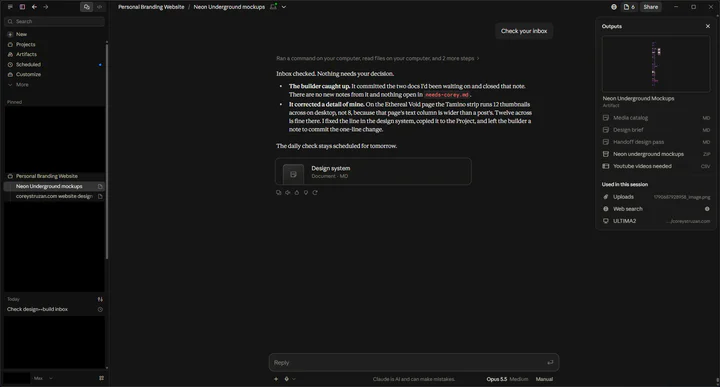 The designer accepting the builder's correction
It works the other way too. The designer asked the builder to commit some new wording for the 360° viewer and to explain how the video card's hover loop behaves. While the builder was idle, the note just waited, and the designer slowed its checks to every four hours. The next time I told the builder to check its inbox, it committed the wording exactly as written. It answered the hover-loop question in the shared coordination file: which card loops, what starts and stops it, and that it stays on the still poster when motion is off, data saver is on, or the screen is touch-only. Then it closed the note and pushed. The mailbox was empty again, and nothing was waiting on me.
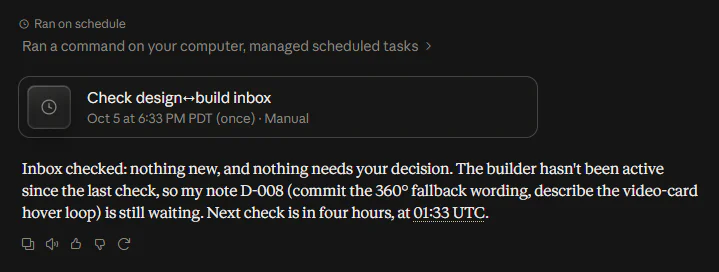
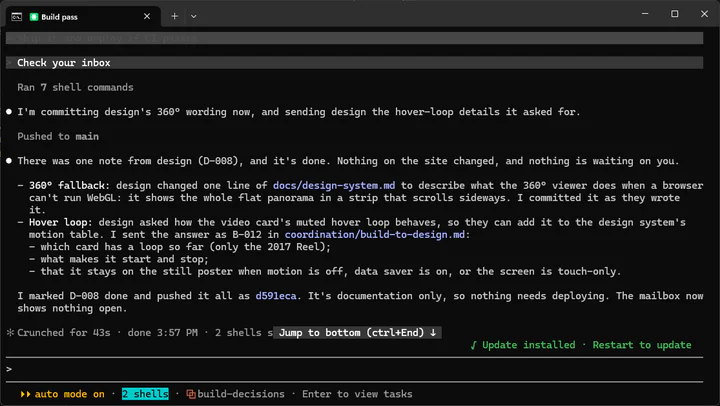 A note from the designer and the builder closing it
Long-term maintenance without the drift
The site comes with an operations manual, and SpecDevShip is part of how it runs. Day-to-day work goes through six project skills. This is the one for anything that needs code:
"Plans the change through SpecDevShip, builds it on the dev server, adds tests."
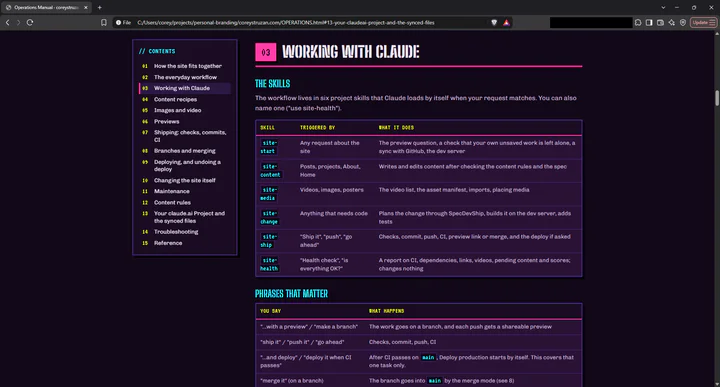 The skills table in the operations manual
From the manual:
"Changes beyond content go through the same discipline with SpecDevShip, so the spec and the site never drift apart."
A change that's already covered by the spec gets fixed with a test. A new small change gets a short implementation plan. A change that contradicts the approved spec reopens it as a draft for my approval. Nothing is built until I say "approved," and every finished piece of work leaves a walkthrough and a changelog entry.
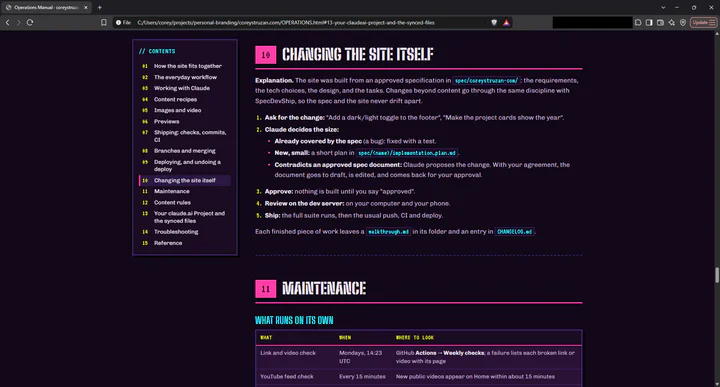 "Changing the site itself"
The safety net doesn't depend on anyone remembering to run it. CI runs on every push: checks, unit tests, browser tests, Lighthouse, a secret scan, and a preview for any branch other than main. A weekly job checks every link and video. Production deploys only start when I say so.
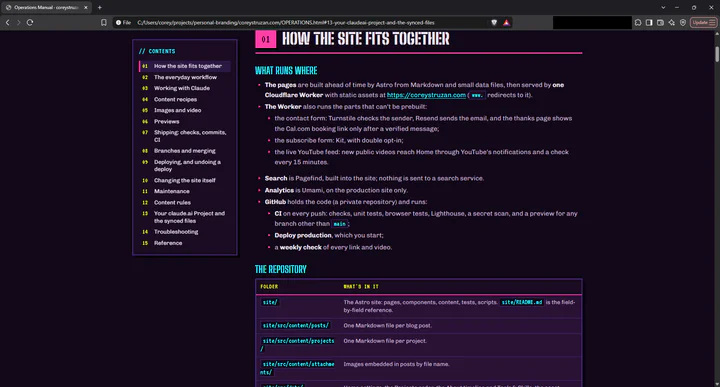 "How the site fits together" in the operations manual
That's what long-term maintenance looks like for me: effortless, and the paper trail keeps growing on its own.
My advice to skeptics
Try it. You'll like it.
The Claude Code Edition is available now, and if you'd rather read the workflow first, the field guide is free. One-time purchase, lifetime updates: specdevship.com